
For riding schools, stables, instructors and riders
The first free app for everything you need
You focus on riding. Flashbarn takes care of the rest.
Book your riding lesson in two taps, get notified when something changes and keep your horse's record book with you. On Android and iPhone, no app store needed.
How it gets to your stable
All it takes is one rider saying: “why don't we give it a try?”
Discover Flashbarn
Sign up, pick your stable from the list and see right away how it works.
Show it to your instructor
A WhatsApp message with the link is ready to go: send it with one tap.
The stable gets going
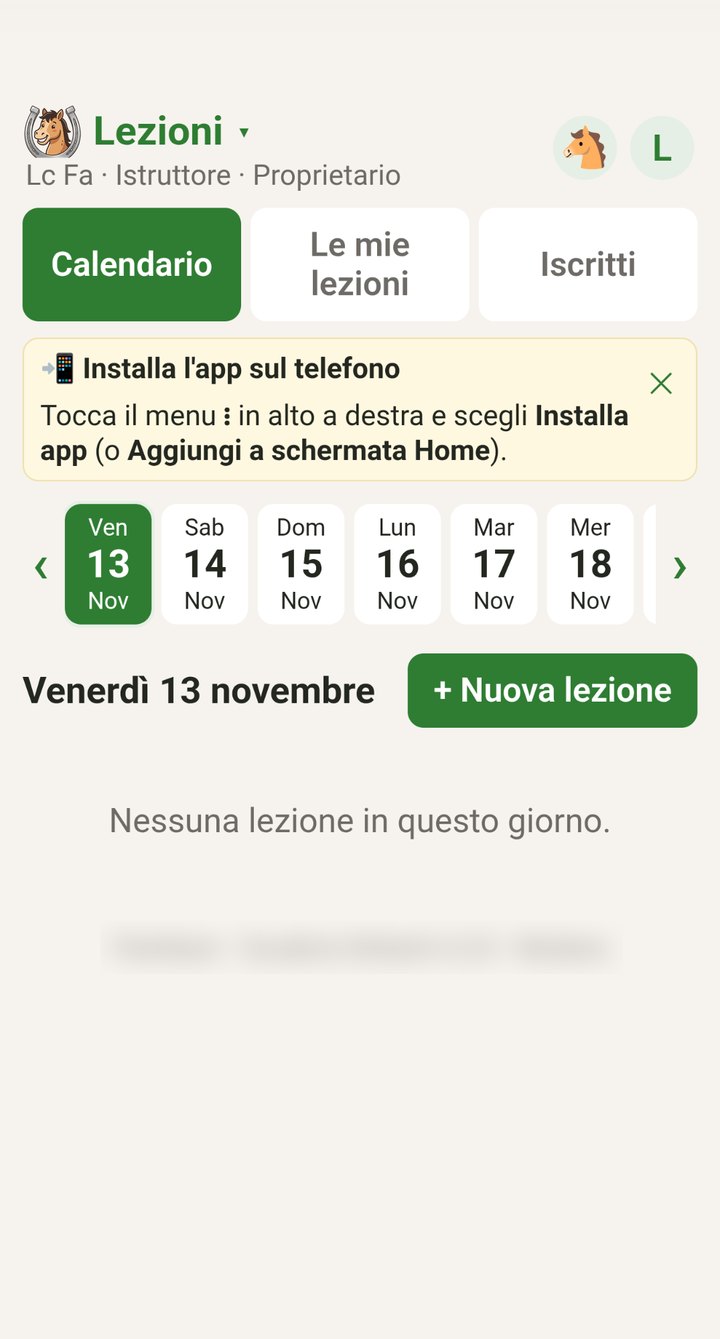
The instructor creates the first lessons, and from then on everyone books from their phone.
Who it's for
Everyone sees what they need
One app for the whole riding school: riders, instructors, stable owners and those who just come to look after their own horse.
Riders
- See open lessons and sign up
- Know who's riding with you
- Cancel up to one hour before
- The lesson goes straight into your phone's calendar
Instructors
- Create lessons, weekly repeats included
- Leave them open or invite riders yourself
- Move a rider to another lesson
- See who confirmed and who can't make it
Stable owners
- All the stable's members in one list
- You appoint the instructors
- Your stable's logo and colour in the app
- Stable accounts and lesson packages
- Know who keeps a horse at livery with you
Horse owners
- Record book with health, expenses and profile
- No lessons if you don't need them
- Stay connected to your stable
- Handy for half-leases too
Features
Fewer group chats, more time in the saddle
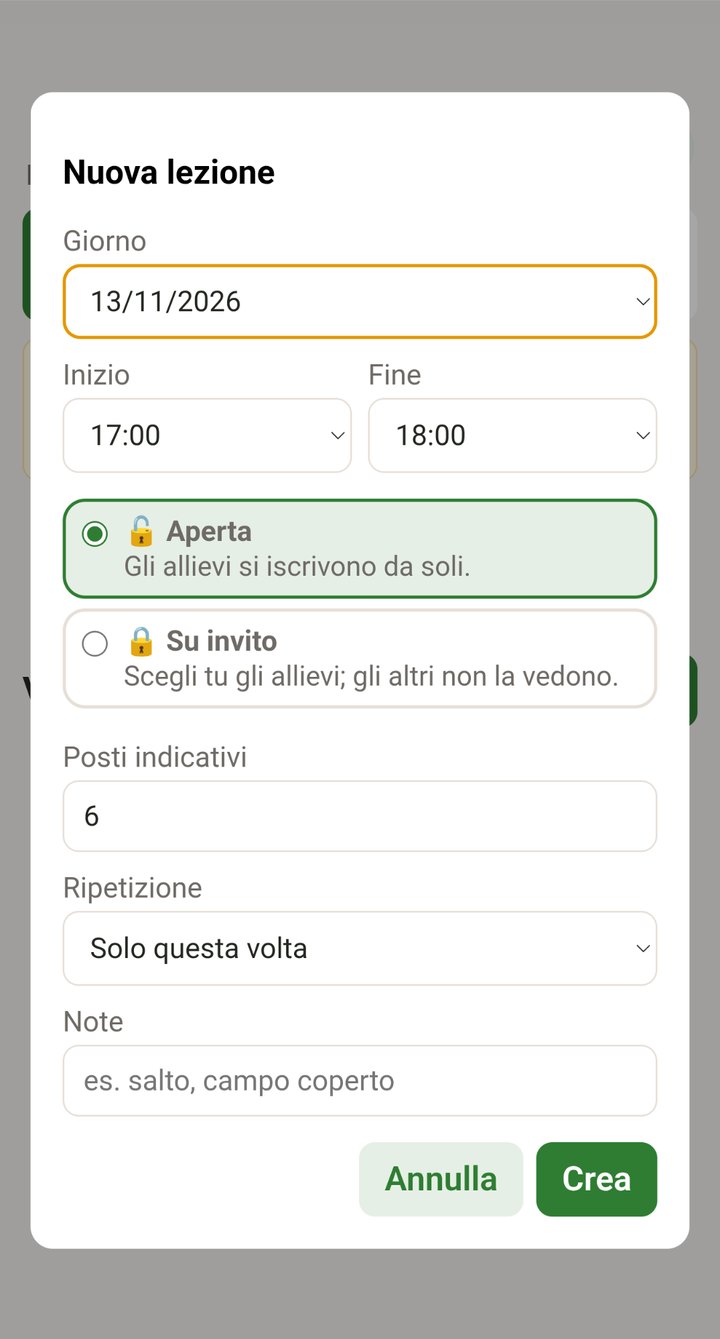
Open or invite-only lessons
For adults on a monthly package, open lessons: anyone can sign up. For young riders, invite-only lessons: the instructor picks who rides and the others don't even see it. Day, time, approximate places and weekly repeat on a single screen.
One lesson per rider per day, so nobody takes all the places.
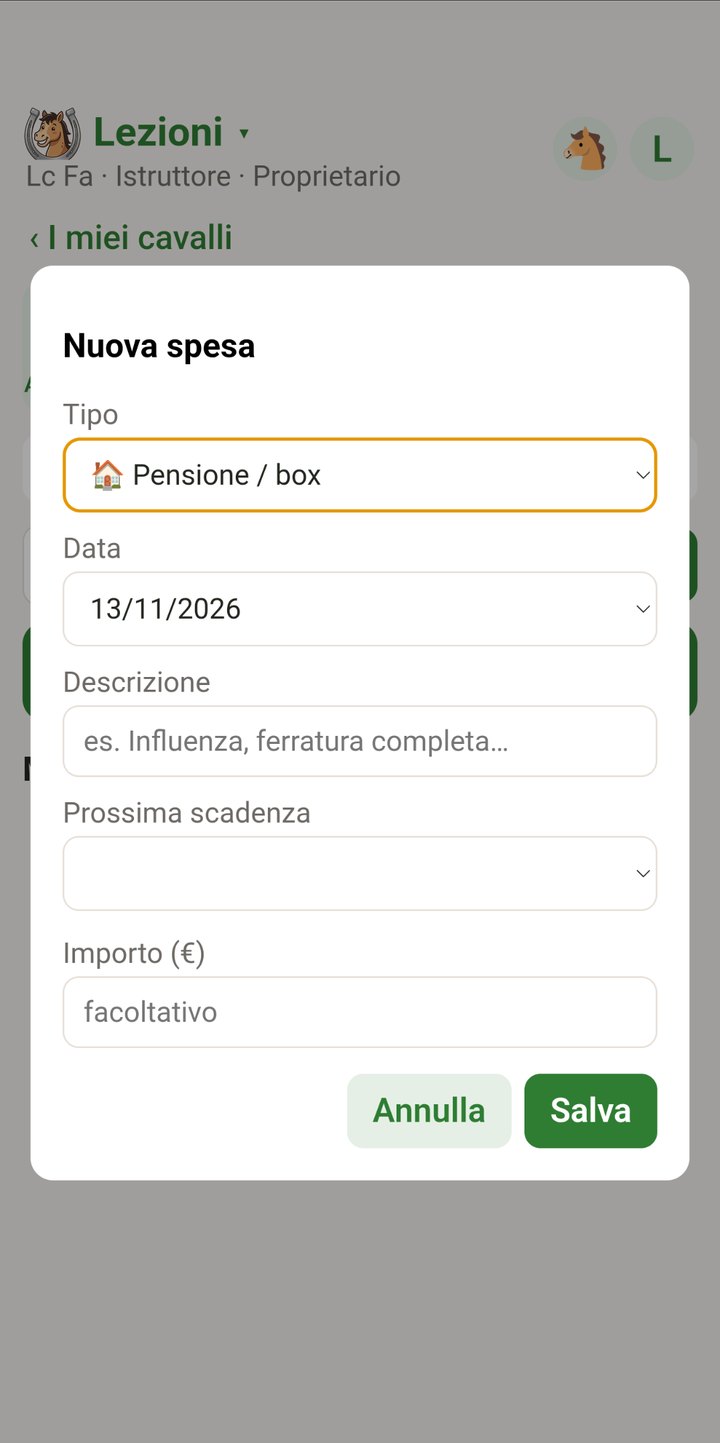
Your horse's record book
Livery, shoeing, vaccinations, vet: log the expense, the date and when it's next due. Your horse's health, expenses and profile always at hand, visible only to you.
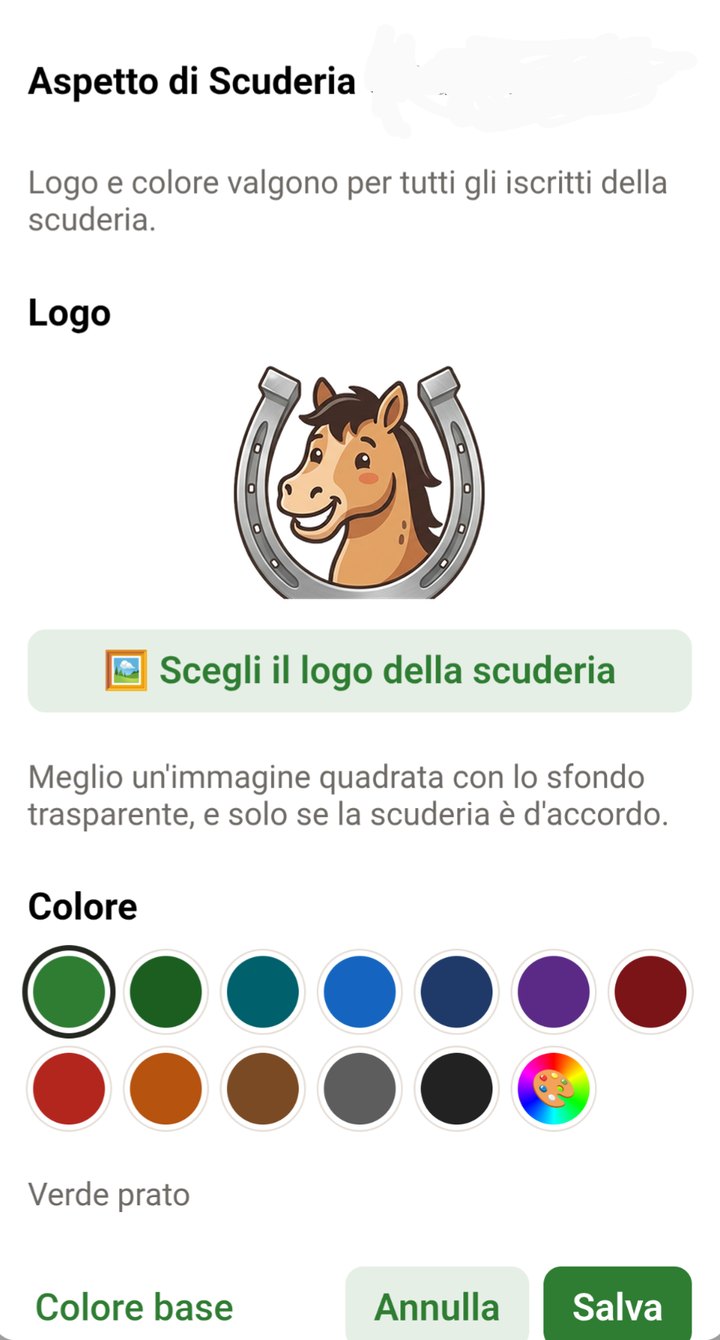
With your stable's logo and colours
The owner uploads the logo and picks the colour: from then on every member sees the app in their stable's look.
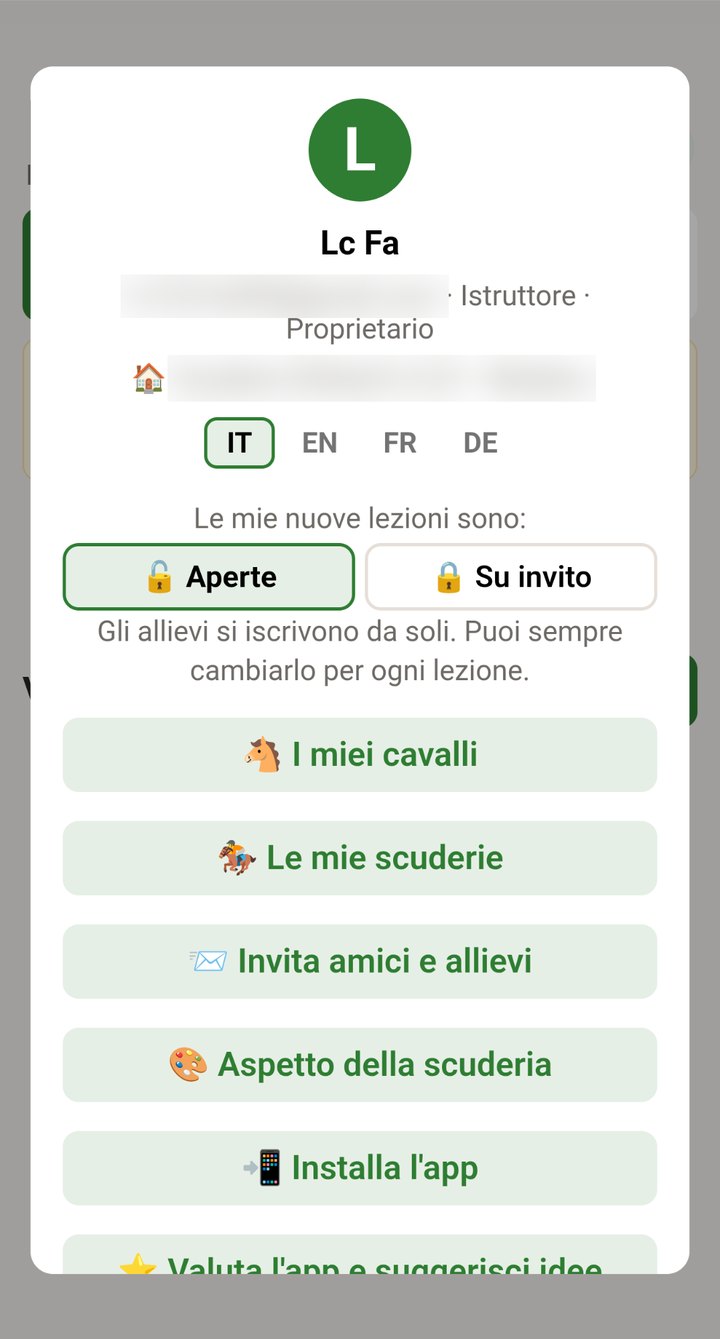
Everything from your profile
Choose Italian, English, French or German, switch between stables, invite friends and riders and install the app. And if you have an idea to improve it, you can write it there.
Your stable's accounts, no spreadsheets
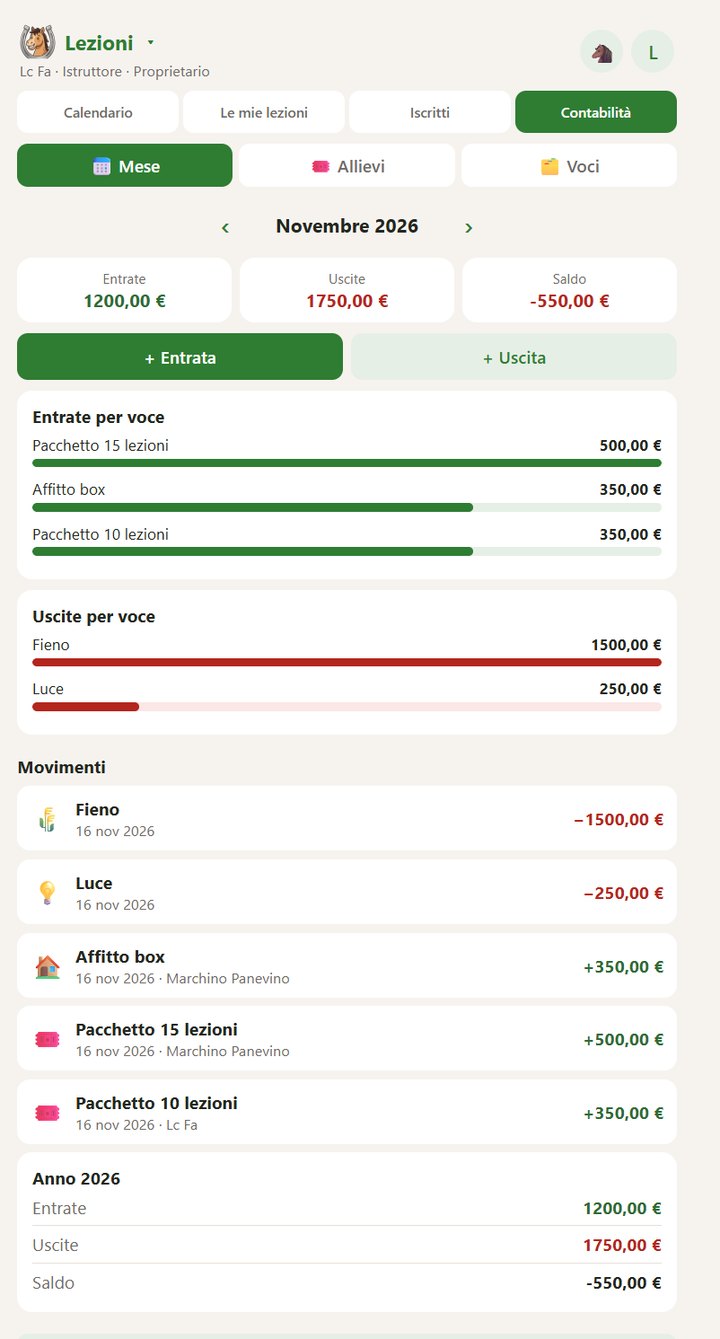
Simple stable management software: monthly income and expenses, riders' packages and monthly plans, items with your own prices. All in the same app where lessons are booked.
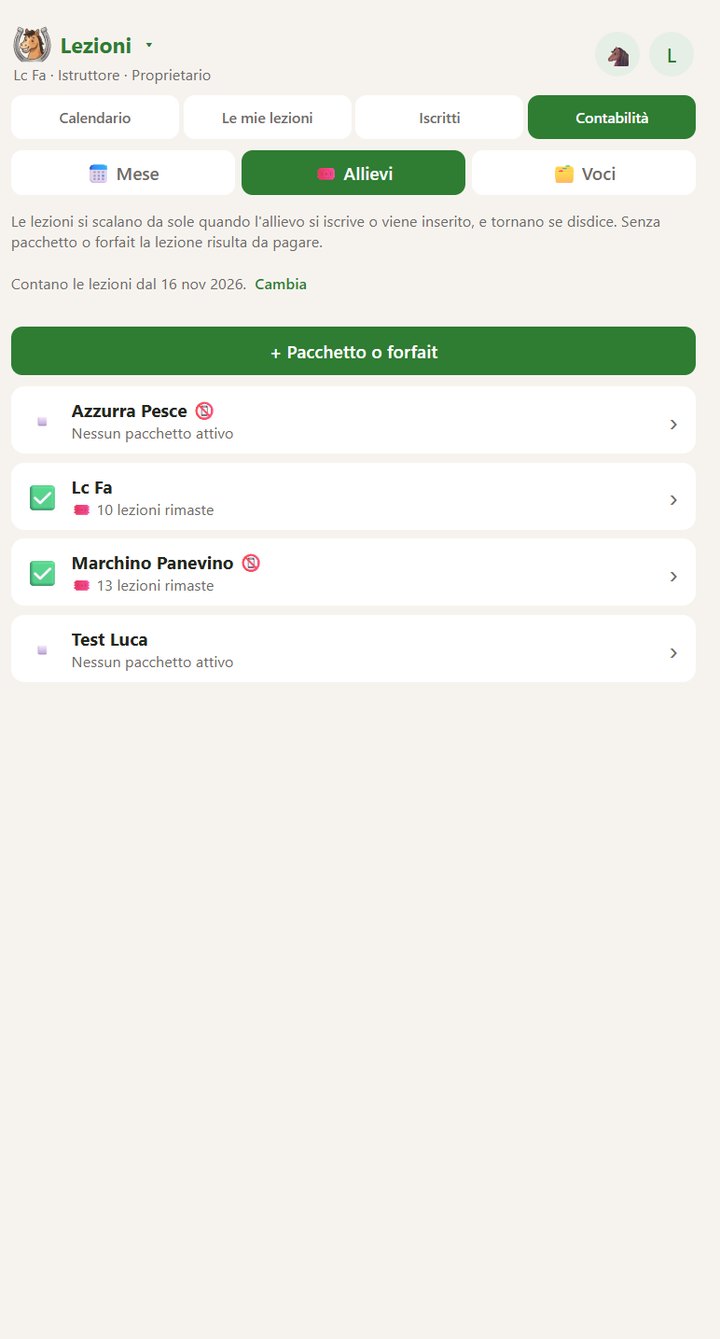
Packages that count down by themselves
When a rider signs up or is added to a lesson, one lesson comes off the package. If they cancel, it goes back.
Know who still has to pay
Without a package or monthly plan the lesson shows as unpaid: you see it at a glance, even for riders without the app.
Income, expenses and balance
Monthly and yearly summary, item by item, with export to Excel.
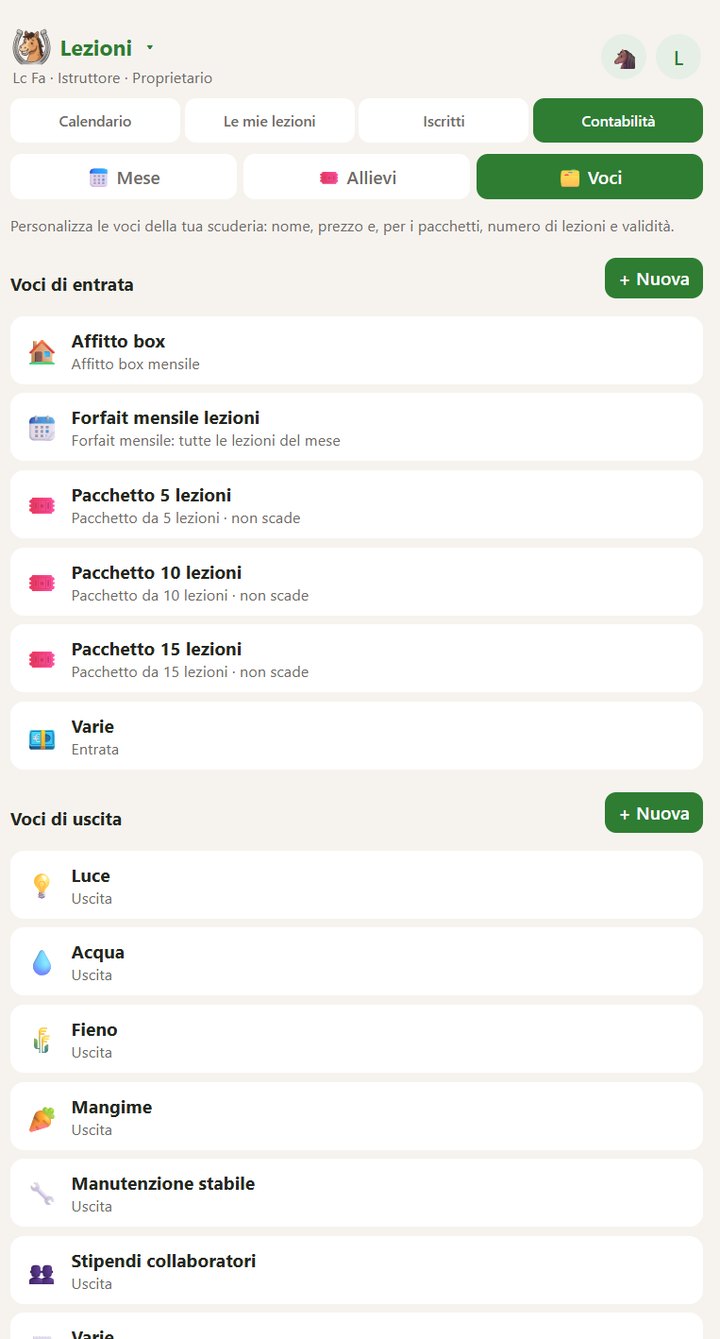
Your items, your prices
Stable rent, monthly plan, packs of 5, 10 or 15 lessons: you set the name, price, number of lessons and validity.
Install
No app store. Thirty seconds and it's yours.
Flashbarn installs straight from your browser and then opens from its icon, like any other app. The app itself reminds you the first time you sign in.
Android
- Open app.flashbarn.app in Chrome
- Tap the three-dot menu in the top right
- Choose Install app
iPhone
- Open app.flashbarn.app in Safari
- Tap the Share button
- Choose Add to Home Screen
Notifications work from iOS 16.4 onwards, with the app installed.

Your stable isn't listed? Add it.
346 Italian riding centres are already listed. If yours is missing, from Italy or any other country, add it when you sign up: we check it and it shows up for everyone.
Frequently asked questions
Is the app free?
Yes, for everyone: riders, instructors and stables. No subscriptions, no hidden costs.
Flashbarn was born in a stable, among people who ride, and it lives thanks to the people who use it. Like any stable that works, it keeps going when everyone pitches in: talk about it at the yard, invite your instructor, send us your ideas from your profile in the app. And when the first supporters from the equestrian world arrive, take a look at them too.
The more of us there are, the more Flashbarn can stay free and keep growing.
Do I need my own horse?
No. If you ride the school's horses you only use the lessons part. The record book is there if you ever need it, half-leases included.
What does my stable need to do to get started?
An instructor just needs to sign up and create the first lessons. The owner can then ask to be recognised as owner to manage instructors, logo and colours.
I teach at several stables: do I need several accounts?
No, just one. You switch between stables right inside the app.
Does it work on iPhone?
Yes. Install it from Safari with “Add to Home Screen”. Notifications need iOS 16.4 or later.
Where does my data go?
On servers in Europe. Only the administrator sees your email, and only you see your horse's record book. All the details are in the privacy policy.
Bring your stable to FLASHBARN
You start today. The others will follow.